Live Watch Tracker
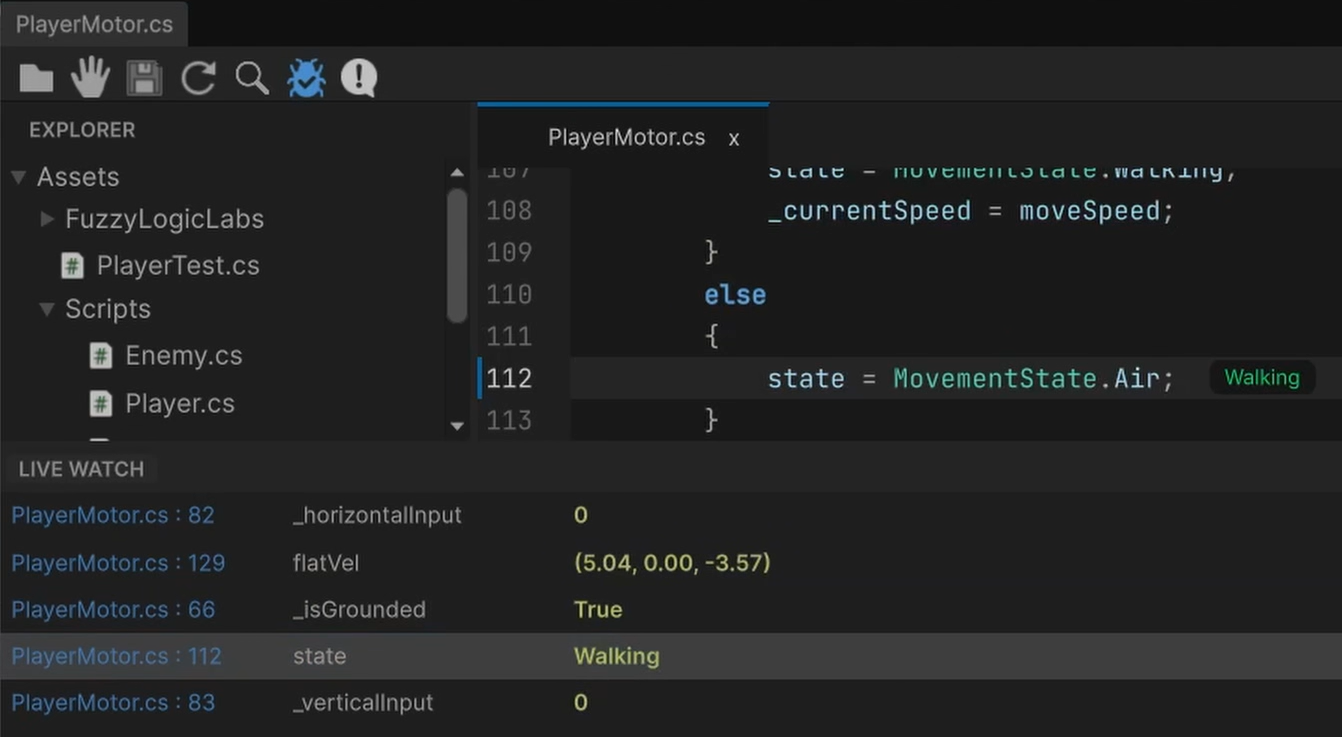
The Live Watch Tracker allows you to inspect variable values in real-time while your Unity game is in Play Mode, without pausing or cluttering the screen with Debug.Log.
Getting Started
- Click the Watch Panel Toggle (bug/debugger icon) on the toolbar.
- In your code, you can right-click a variable and choose Watch Live.
- Enter Play Mode. The panel will continuously update with the latest values of your tracked fields.
