Context Menu & Quick Actions
Right-clicking anywhere in the editor brings up a contextual menu tailored to the code under your cursor.
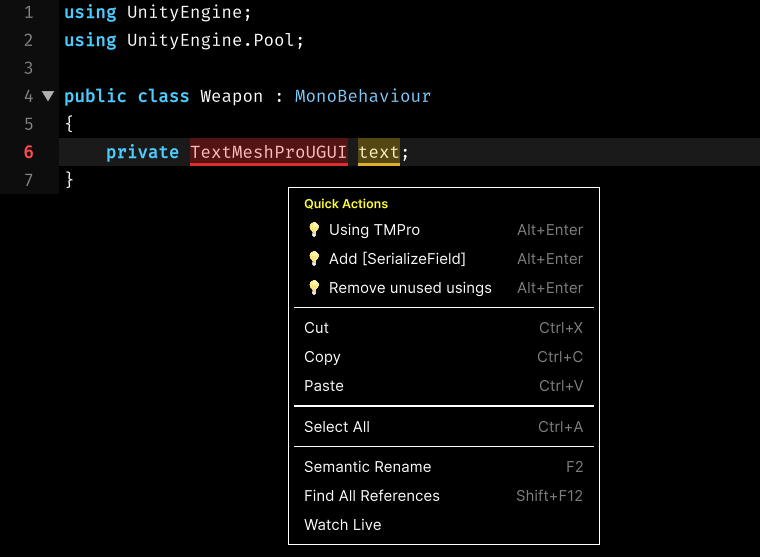
Quick Actions
- Auto Import Missing Library: Fuzzy Ide can detect and import missing libraries for you. When used auto complete it import automatically or you can use context menu to see missing library and import.
- Add SerializeField: Add SerializeField attribute to variable.
- Remove Unused Usings: Automatically delete unused imports.
Available Actions
- Cut: Cut selected word (CTRL + X).
- Copy: Copy selected word (CTRL + C).
- Paste: Paste selected word (CTRL + V).
- Select All: Selects all text in the script. (CTRL + A).
- Semantic Rename: Safely renames the variable, method, or class and updates all corresponding references.
- Find All References: Scans the entire workspace to show where the current symbol is used.
- Watch Live: Adds live tracker code to track selected variable real-time.